

A website is often the first place a customer meets your business. If it loads slowly, looks confusing or fails on a phone, many visitors leave within seconds and never return. Good web design and development combine clear structure, fast code, honest content and a plan for growth. This article explains how a professional web team works, what to expect at each stage and how to prepare your site for visitors who speak different languages.
Start With Goals, Not Colors
Every successful project begins with questions. Who are your visitors, what do they need and what should they do on the site? A shop wants orders, a consultant wants inquiries and a publisher wants readers who come back. When goals are written down, design choices become easier and arguments about taste become shorter.
A website without a clear goal is only a brochure that nobody reads.
Planning Structure and Navigation
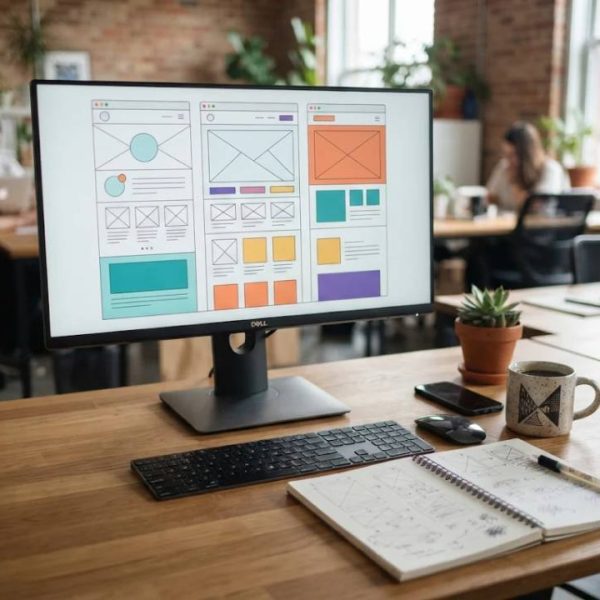
Before any design work, a team maps the pages and how visitors move between them. Menus should be short and use words people already know. Important pages must be reachable in two or three clicks. A simple sitemap saves weeks of changes later.
Think of navigation as signs in a building that help people find the right door.
Design That Supports Reading
Good design guides the eye. Strong contrast, readable font sizes, generous spacing and consistent buttons help visitors scan pages quickly. Photos should be sharp but light in file size, and animations should add meaning, not distraction.
The best design is often the one visitors barely notice because everything feels natural.
Development, Speed and Security
Clean code, compressed images, caching and a reliable host make pages load quickly. Security updates, secure forms and regular backups protect your data and your customers. Developers should test the site in several browsers and on real phones, not only on a large office screen.
Speed and safety are features that customers feel even when they cannot name them.
Accessibility Is Good Business
Accessible sites work for people with low vision, hearing loss, motor difficulties or temporary limits such as a broken arm. Clear headings, text alternatives for images, keyboard navigation and sufficient contrast help everyone. The W3C Web Accessibility Initiative publishes practical guidelines that teams can follow from the start.
Accessible design also tends to improve search visibility and user satisfaction.
Preparing Your Site for Several Languages
Selling to new markets means speaking your customers' language. Plan space for longer text, since some languages need more words than English. Keep text out of images, use proper character encoding and design flexible menus. When content is ready, professional dutch translation services help keep tone, product names and legal wording consistent.
Local examples, currencies and date formats make visitors feel at home.
Using Machines Wisely
Automatic translation is fast and useful for drafts, but it still makes mistakes with tone, idioms and technical terms. A human editor should review anything customers will read. Our guide on machine translation post editing explains how to combine software speed with human judgment so that quality stays high.
Review by a native speaker prevents embarrassing errors that harm trust.
Content That Earns Trust
Clear headlines, honest descriptions and real photographs make a site feel reliable. Add contact details, return policies and short answers to common questions. Avoid empty phrases and write the way you would explain your service to a customer in person.
Visitors reward honesty with attention and orders.
Search Visibility From Day One
Search engines prefer fast, well structured pages with useful content. Give every page a clear title, a short description and headings that match what people look for. Use clean web addresses and link related pages together. Building these basics into the design is cheaper than fixing them later.
Good structure helps both people and search engines understand your site.
Testing Before Launch
Check every form, link and checkout step before the site goes live. Test on different browsers, screen sizes and connection speeds. Ask a few people outside the project to complete simple tasks and watch where they hesitate. Fix the small problems first, since they often cause the largest drop in conversions.
A careful launch avoids stressful emergency fixes on opening day.
Maintenance After Launch
A website is never really finished. Plugins need updates, content grows old and analytics reveal what visitors actually do. Plan a monthly review of speed, broken links and security, and a yearly review of design and content. Small regular improvements keep the site fresh and effective.
Treat your website as a living part of the business and it will keep paying you back.
Choosing the Right Partner
Look for a team that asks questions, shows real examples and explains costs in plain language. Ask who will maintain the site after launch and how changes are handled. Clear communication and honest timelines matter more than a long list of technical promises.
A good partner makes complex work feel manageable.
Recent Posts

Designing Websites That Work W...

Markenidentität entwickeln, d...

Refonte de site web, les étap...

Website Redesign Without Losin...

Perché Un Sito Su Misura Vale...

Pourquoi Le Branding Digital D...
Share it.

Links
We use cookies
We use cookies to give you the best online experience, remember your preferences, and understand how the site is used. You can accept all cookies, reject optional ones, or choose which categories to allow.
Privacy PolicyCookie preferences
Choose which cookies we can use. Necessary cookies stay on because the site cannot work without them.
For more details, read our Privacy Policy.